Loading...




The SAP Cloud for Sales Retail Execution solution is designed to enhance productivity of sales representatives and merchandisers of companies selling Consumer Packaged Goods in retail stores, thereby providing them with critical insights into retail execution.
Perfect Store is a methodology within Retail Execution that takes a highly disciplined approach to achieving maximum sales, delivering the right product, in stock, at the right time and price.

I joined SAP as a User Experience Designer during Q2 2016 on the Cloud for Customer Design Team. As one of the key designers for Perfect Store in Retail Execution, I was responsible to drive the product designs from ideation to implementation throughout the product cycle.
Design needs included new features, iterating on the Cloud for Customer mature product, ensuring features continue to perform well and meet customer needs, and also exploring future directions for Perfect Store.
As the lead designer, I worked with my buddy designer and Project Managers to define the project scope, key workflows and interaction patterns. I’ve gone through tons of iterations on refining the flows, navigation, interactions and visuals based on feedback from involved parties and research. Designs originated from paper sketches, lo-fi wireframes and evolved to hi-fi flows and prototypes.
My responsibilities included research, concept ideation, delivering interaction and interface design, conducting user interviews and usability testing, and partnering with Framework and Retail Execution Application designers to help define product roadmaps.
"I want to be able to finish my tasks quickly, but I can’t seem to find things in one place"
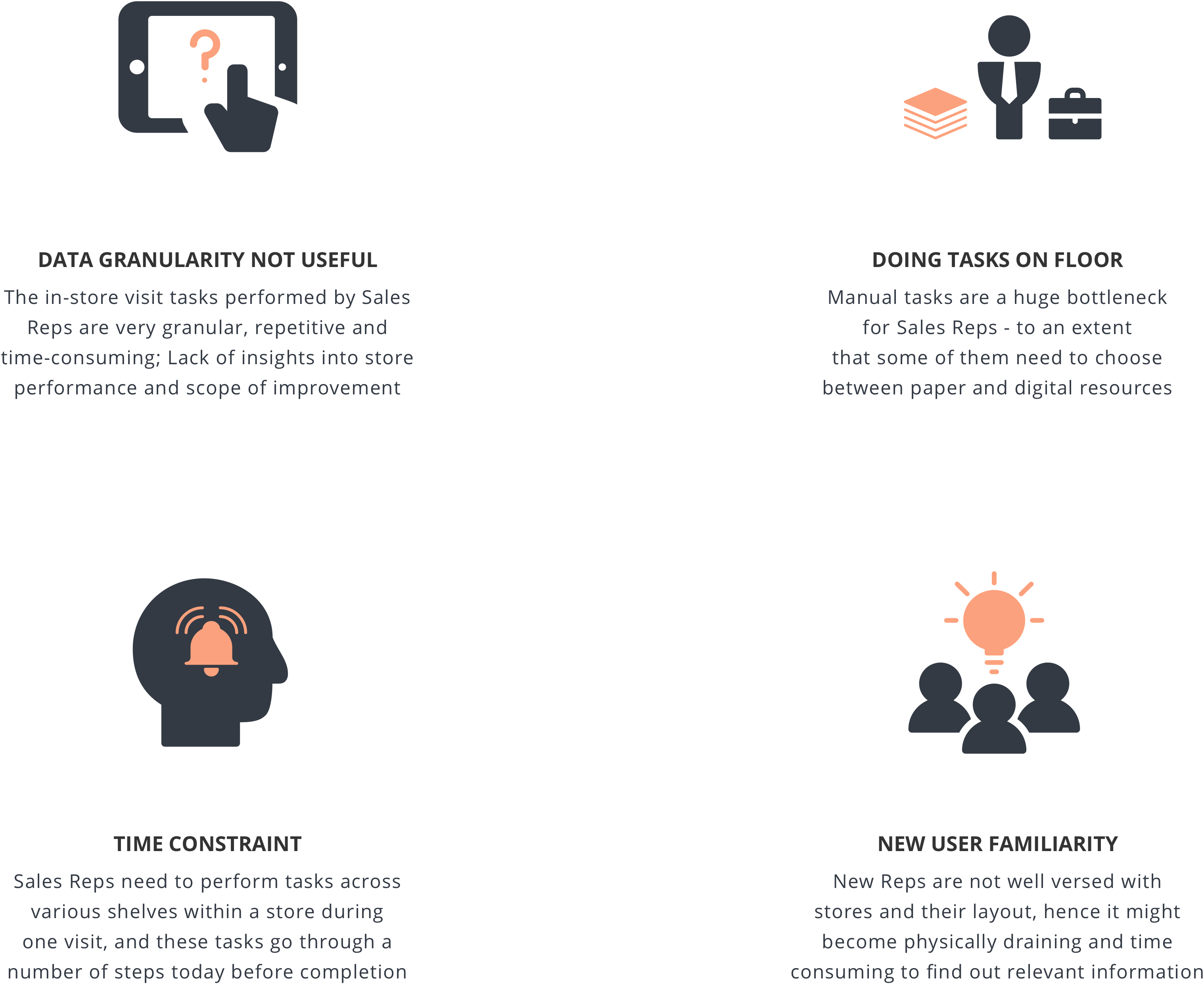
Retail Execution Visit Activities Management is inefficient for Sales Reps because the current workflow is confusing and complicated, thereby dragging their leg during the execution instead of assisting them to get things done.
Our high-level goals were to:
Our lack of detailed domain knowledge of the job of a Sales Rep meant we needed to thoroughly understand the nature of their day. We therefore started by conducting ethnographic research and used participatory design methods to understand the in-store visit process.
To access the business goals, we ran on-site workshops with 2 customers for the first three weeks, gathering customer stories to particularly understand how they interacted with SAP Cloud for Customer and their various needs.
We then participated in 3 off-site ride along sessions to understand the ways in which Sales Reps perform their tasks in-store. This allowed us to quickly understand the day-to-day challenges and pain points of Sales Reps, thereby helping us identify opportunities to provide them with a better experience of working with C4C’s REX solution.
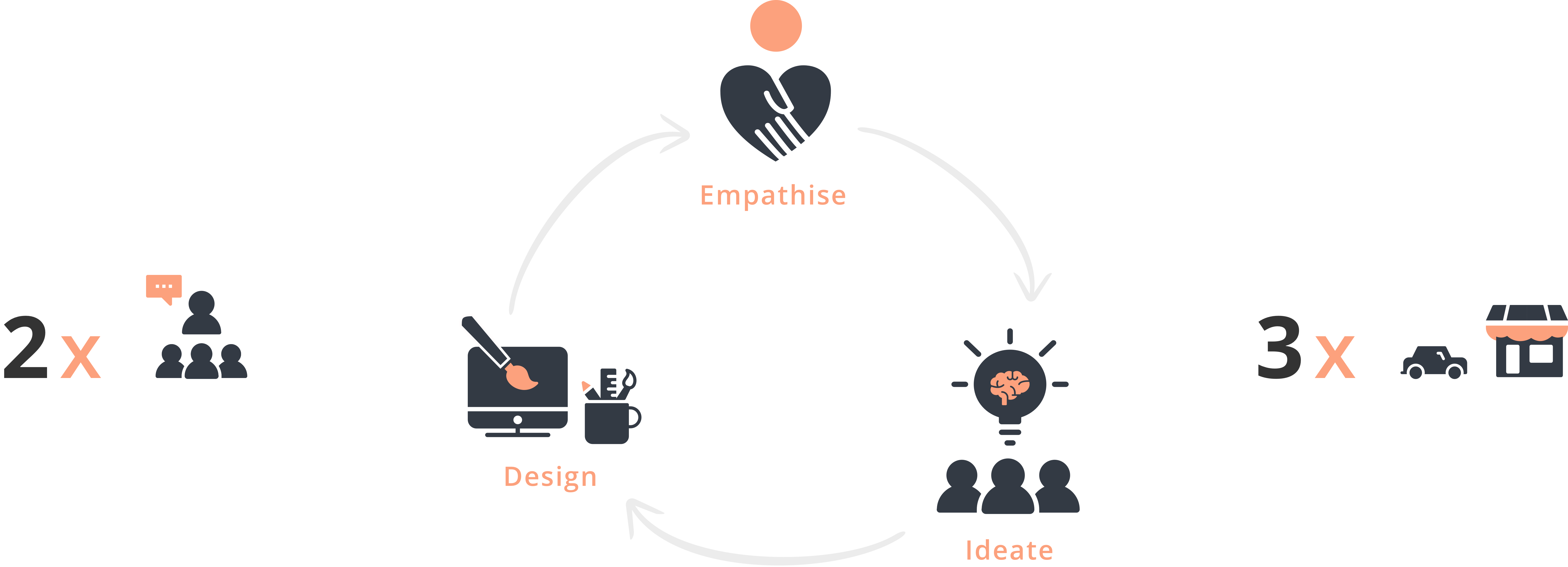
The stakeholder-user study was a high‐intensity effort that allowed us to understand the broader sales cycle, define project milestones, understand our client's vision, begin research into user needs, behaviours and pain‐points and gauge requirements for the upcoming design. We consolidated all this data and synthesized the information into findings and insights.
Insights from our discovery work indicated many areas where an enhanced user experience could help to improve the day-to-day lives of Sales Reps. We needed a more holistic solution that considered our users needs relating to the Heart Metrics:
After designating persona types and aligning this with our phasing strategy, we used these constantly throughout the project to guide design decisions, priorities, and create empathy amongst the customer and our team.
Our primary persona hypothesis consisted of two different archetypes which we used to facilitate discussions about our users needs, desires and varying contexts of use. Through careful analysis of our research, we identified needs, pain points and motivations to segment our user audience and discussed these with our customers to develop a clear picture of who the design would target.
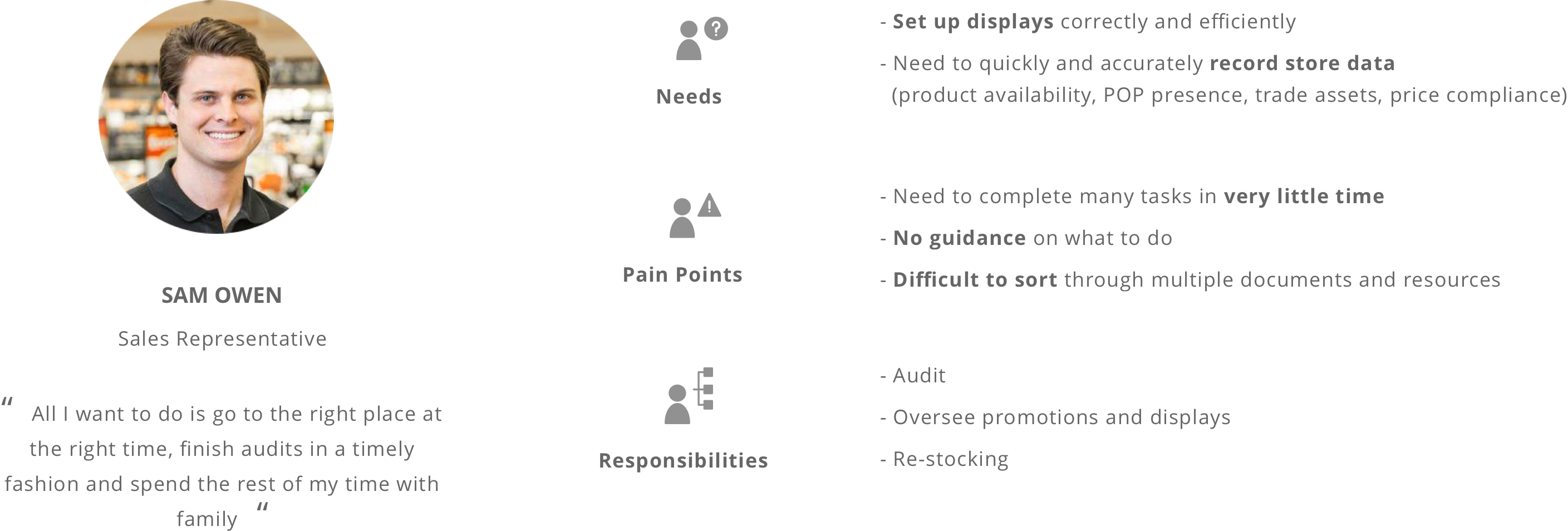
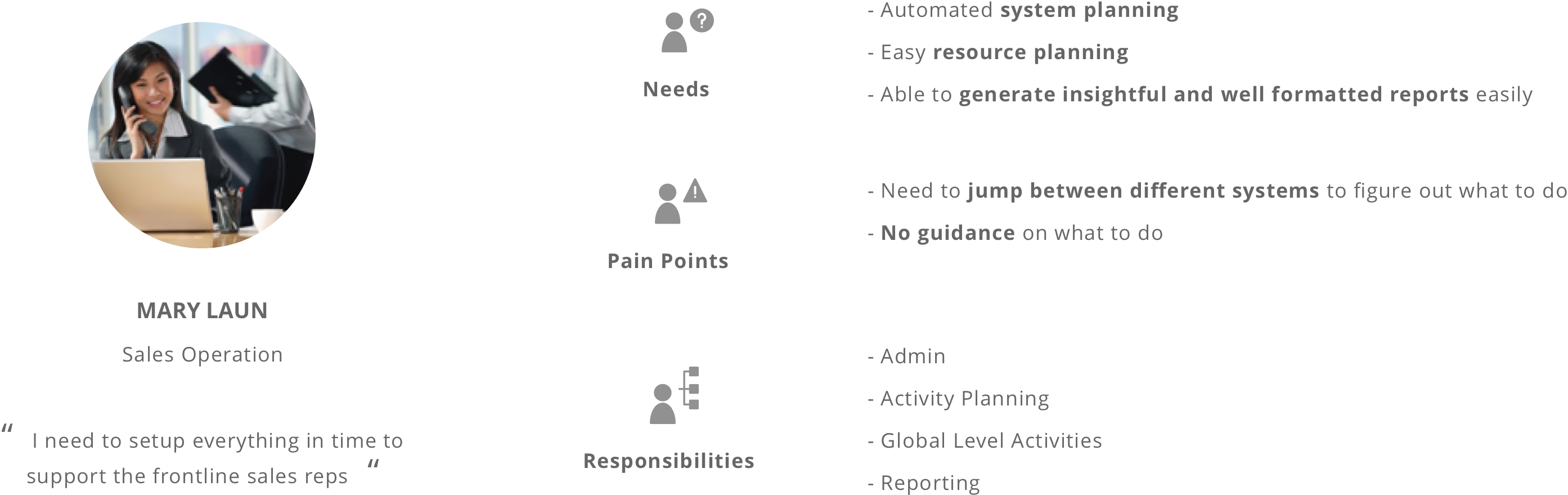
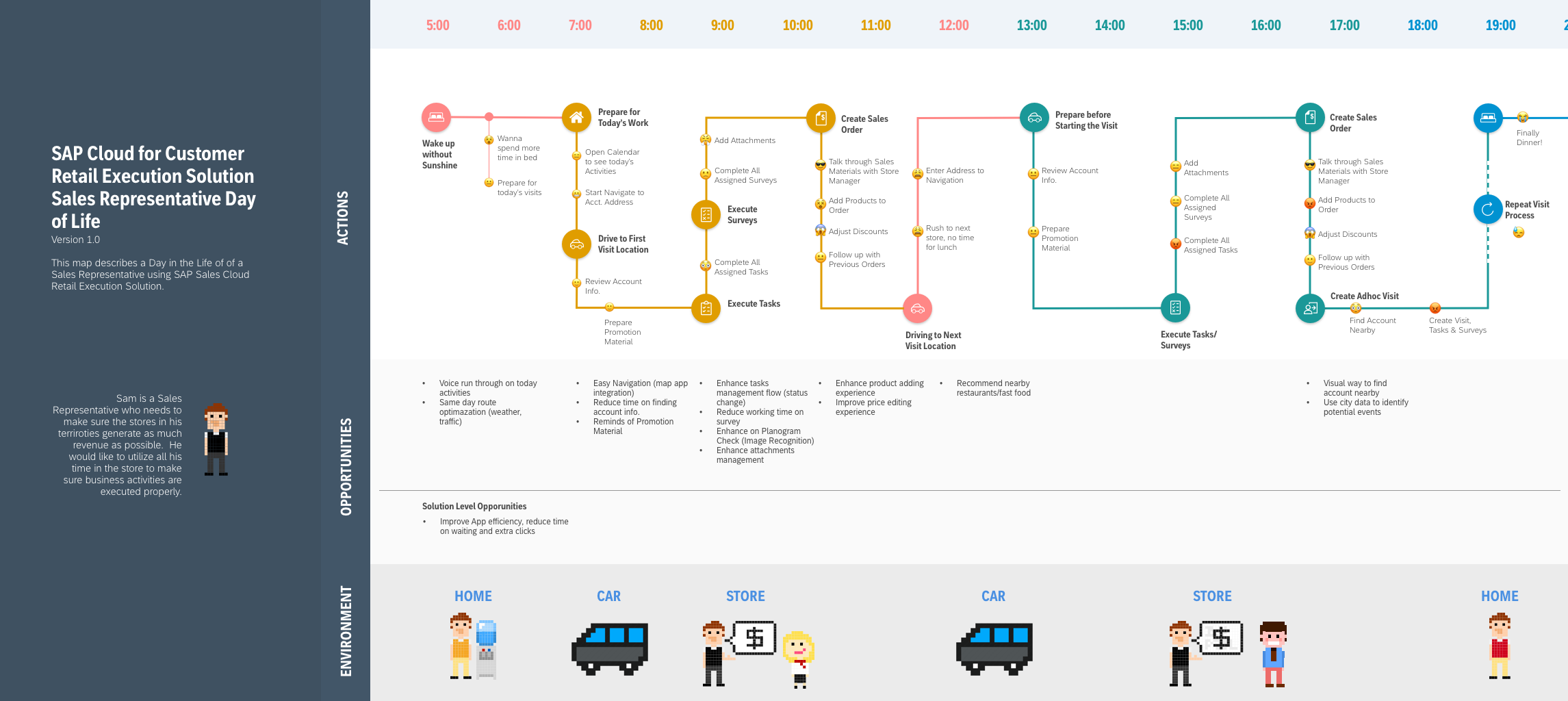
Knowing who exactly we were designing for allowed us to ask ourselves how the current system fits into the lives of the users and helped us imagine how our personas thought and behaved in the envisioned experiences. By keeping the scenarios high-level, we were able to explore various concepts which formed the backbone of our requirements. We could then express these requirements from both a functional and emotional perspective, allowing for further empathy with our users.
We used experience mapping to visualise and communicate the users end‐to‐end experience across various touch‐points. This allowed us to represent user pain‐points and see where we needed to focus our attention.
"Improve the experience for old and new users, thereby increasing sales"
"Think Big Start Small"
Three primary questions informed my design strategy:
We took a top‐down approach to defining the overall structure of the experience. Sketching and storyboarding, I generated stacks of ideas about the arrangement of UI, functional and data elements, and interactive behaviors. Starting broad, our vision began evolving into something tangible. A high‐level design language, interactions and the app's anatomy began to piece together.
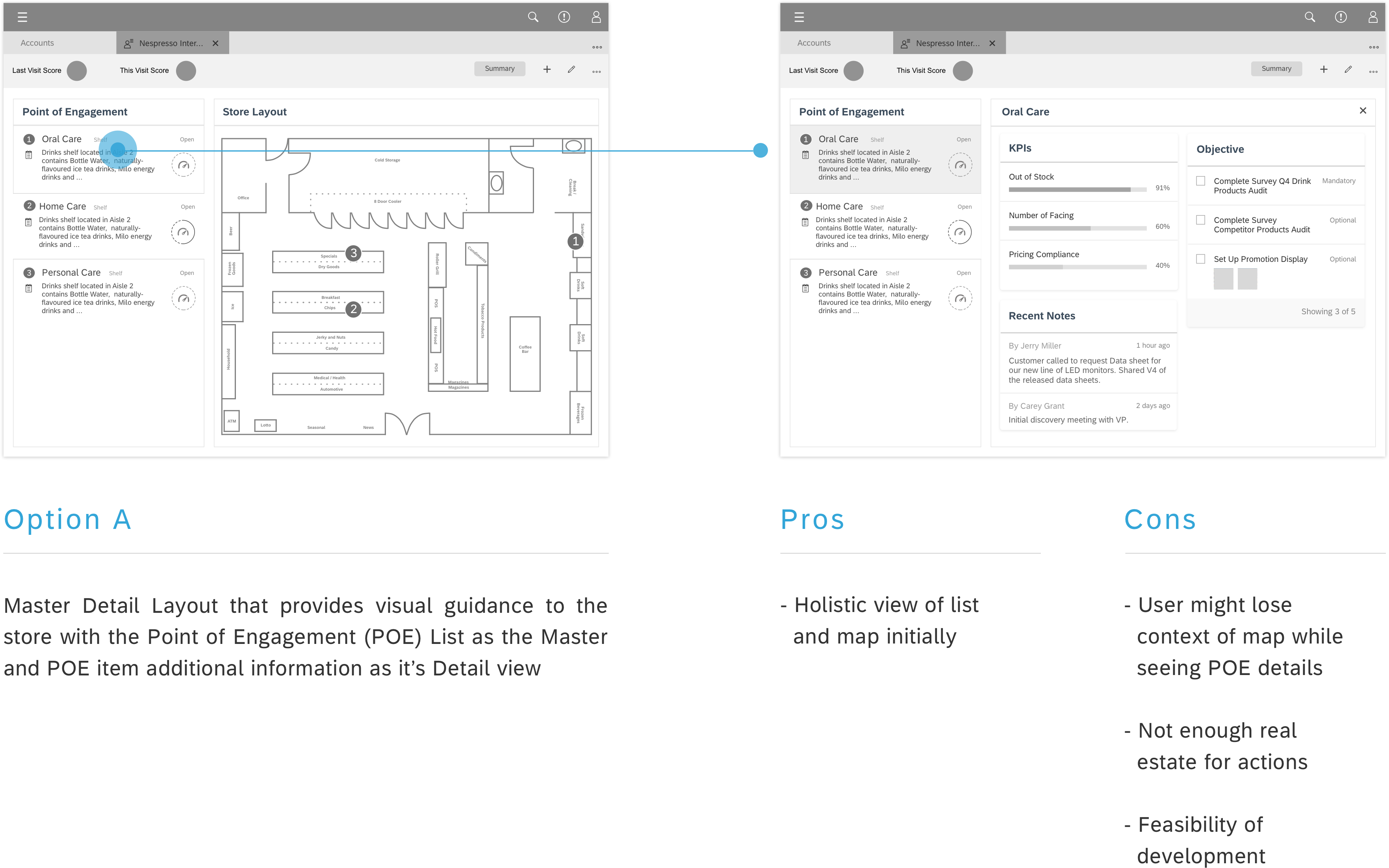
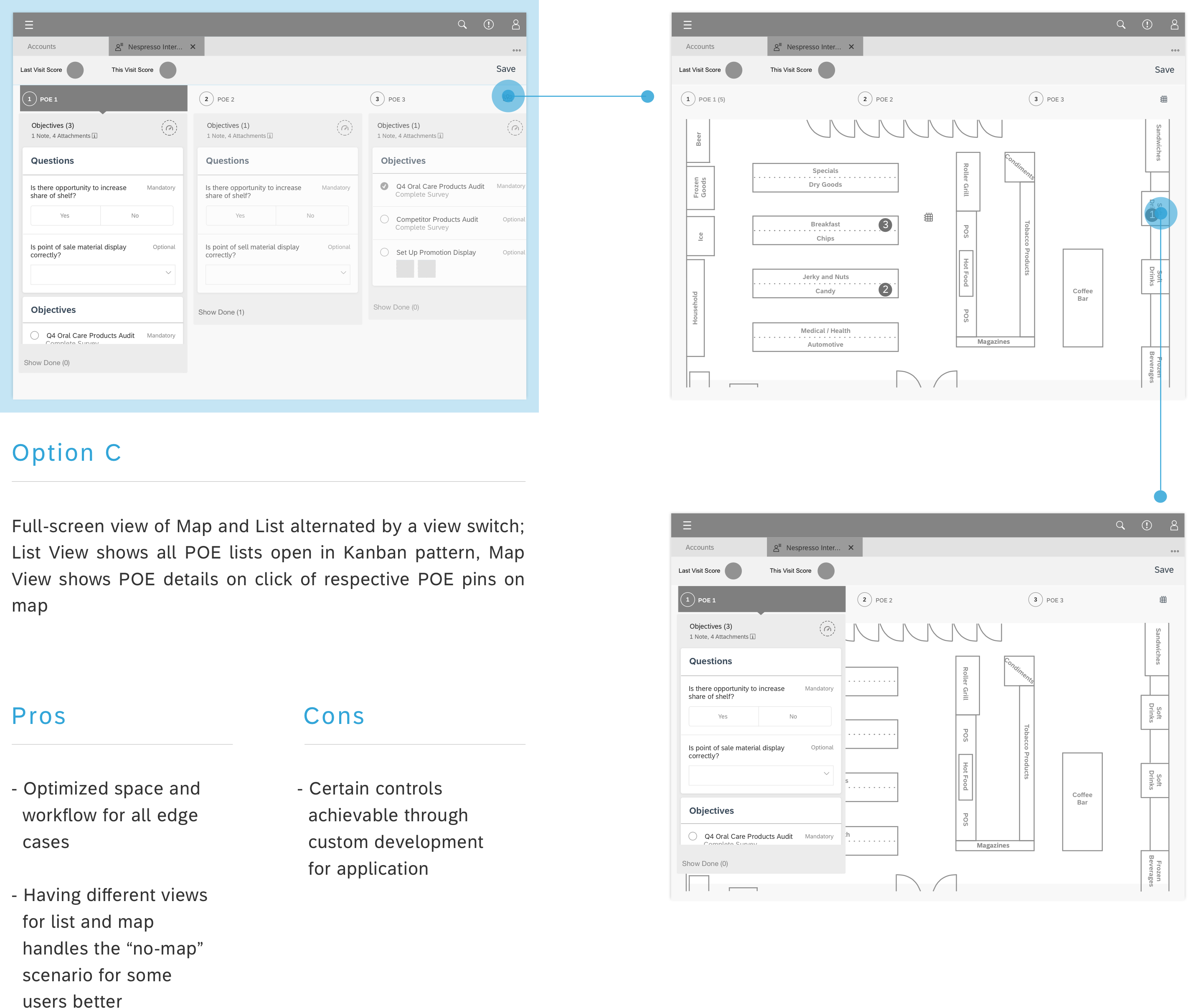
My process involved brainstorming ideas, sketching and white‐boarding concepts and flows with the PM and then translating these into wireframes. To adhere to what the Framework provided to our Applications, we had the following layout explorations:

Bring our system from automation to optimization:
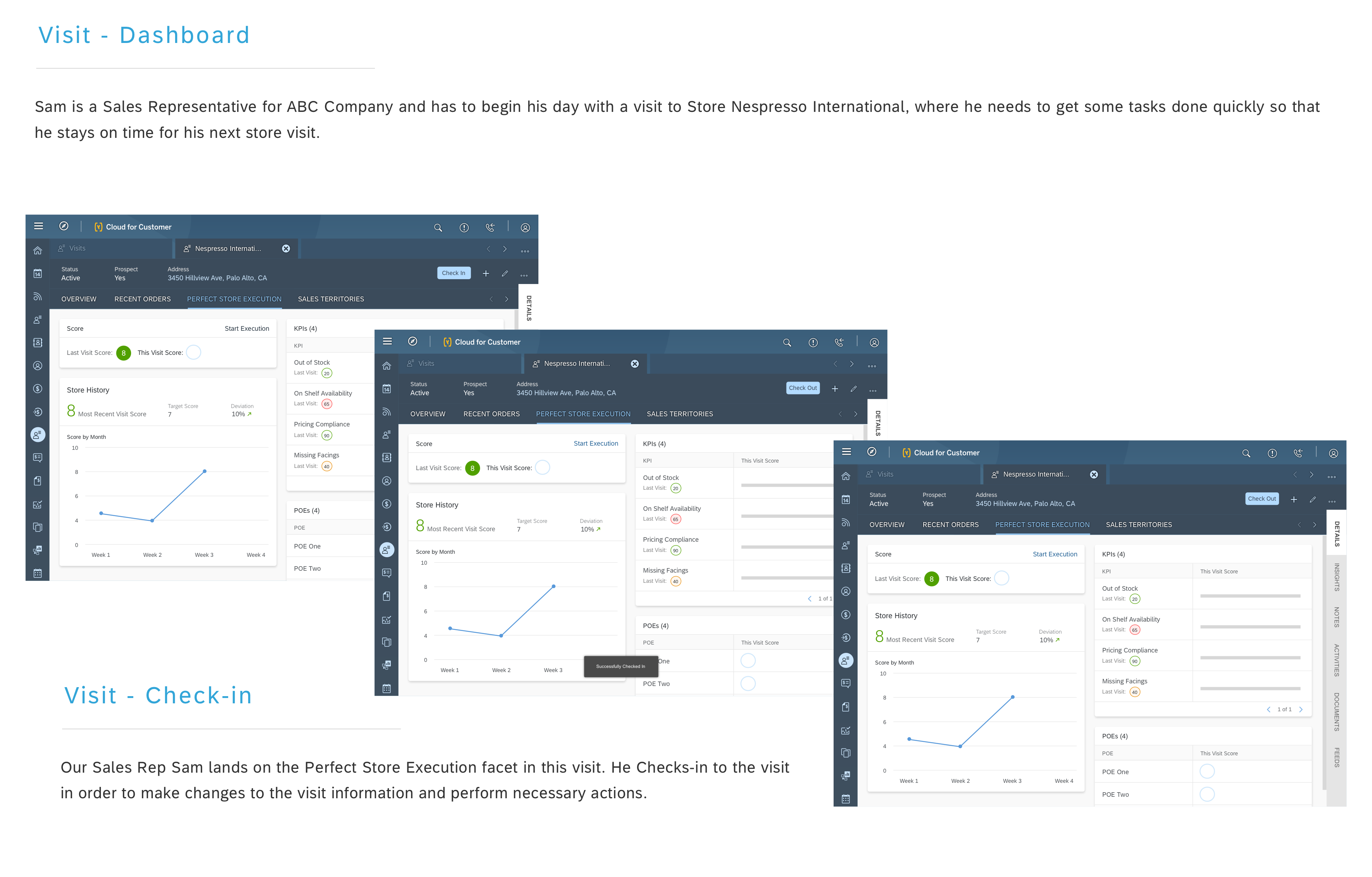
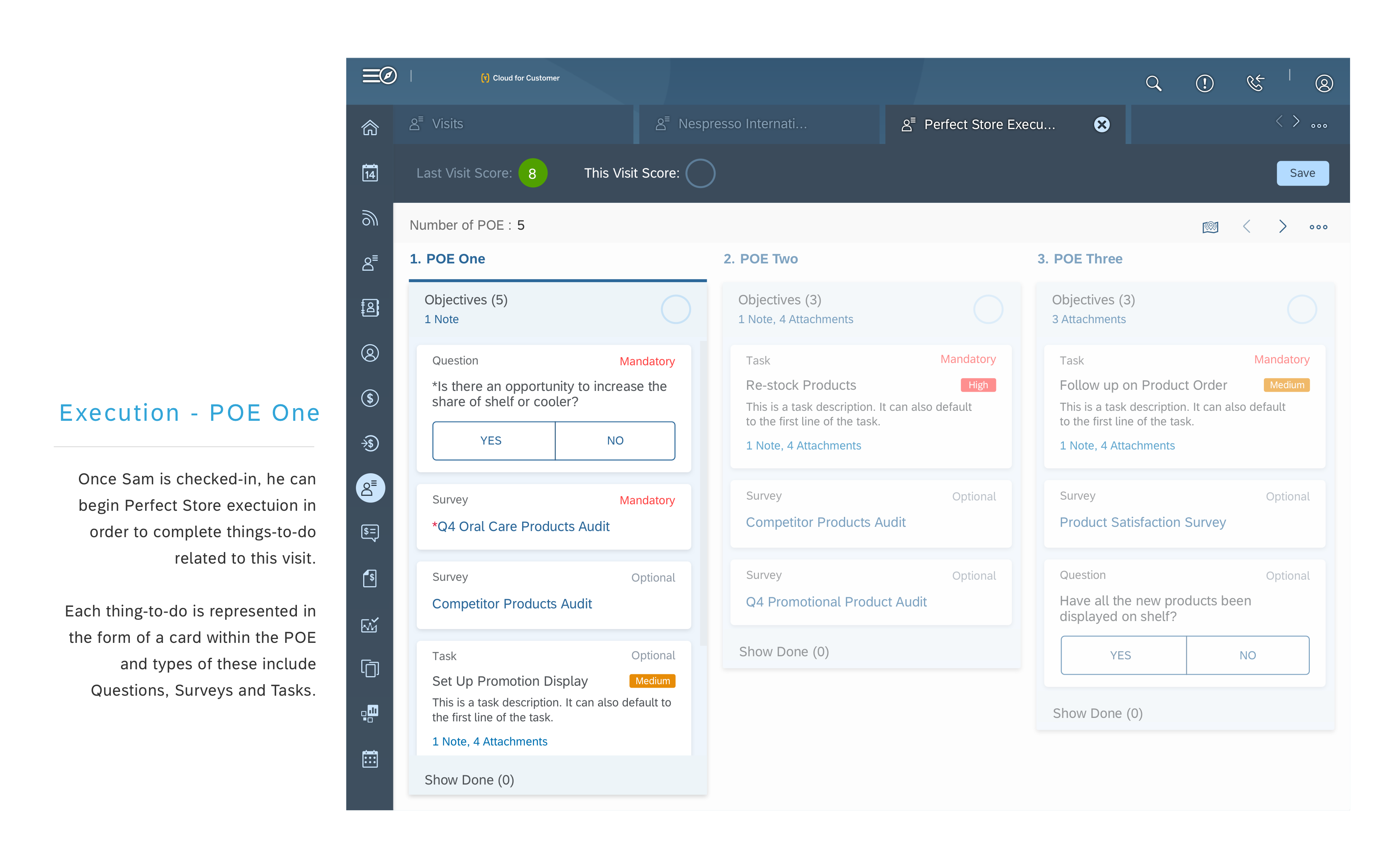
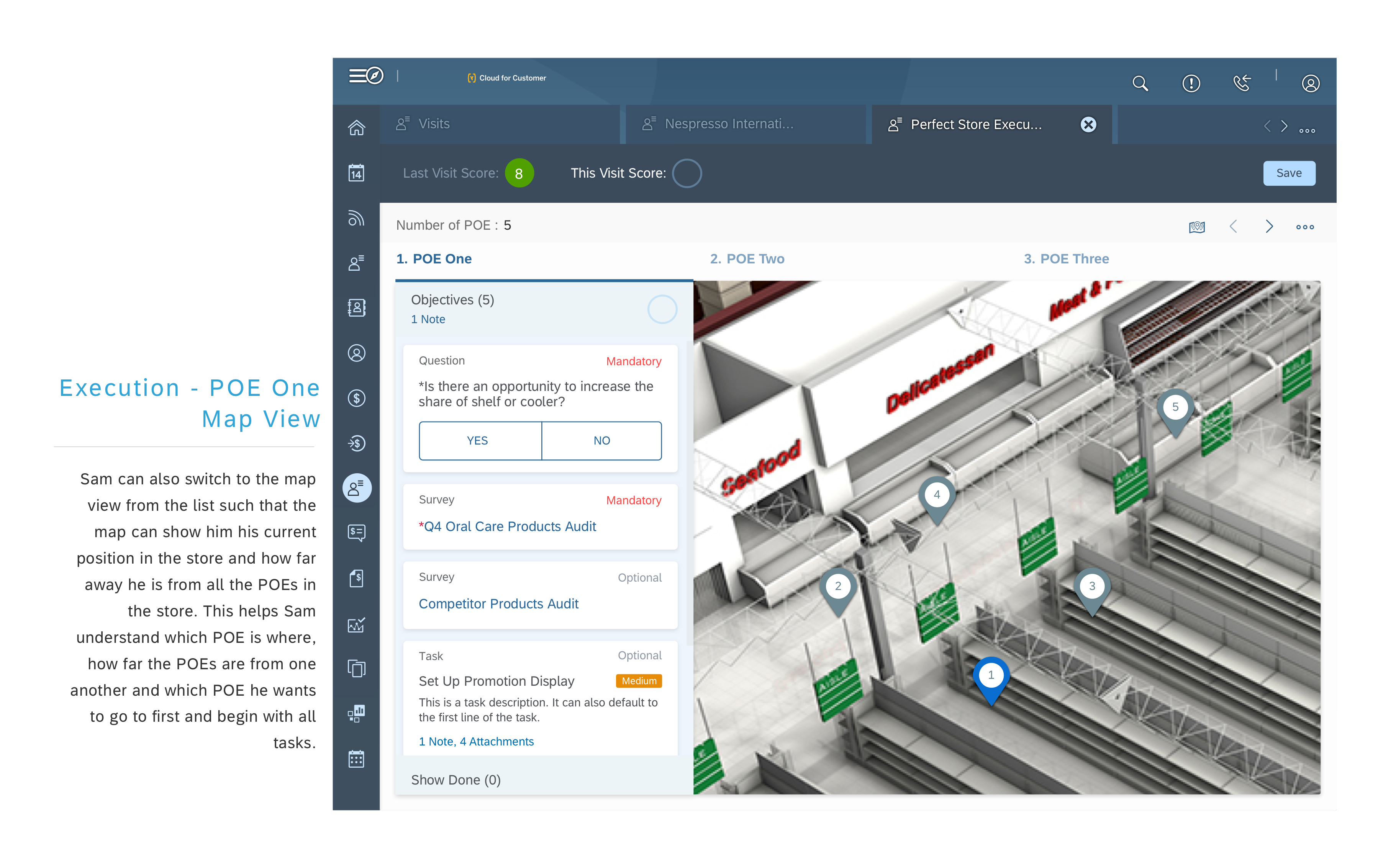


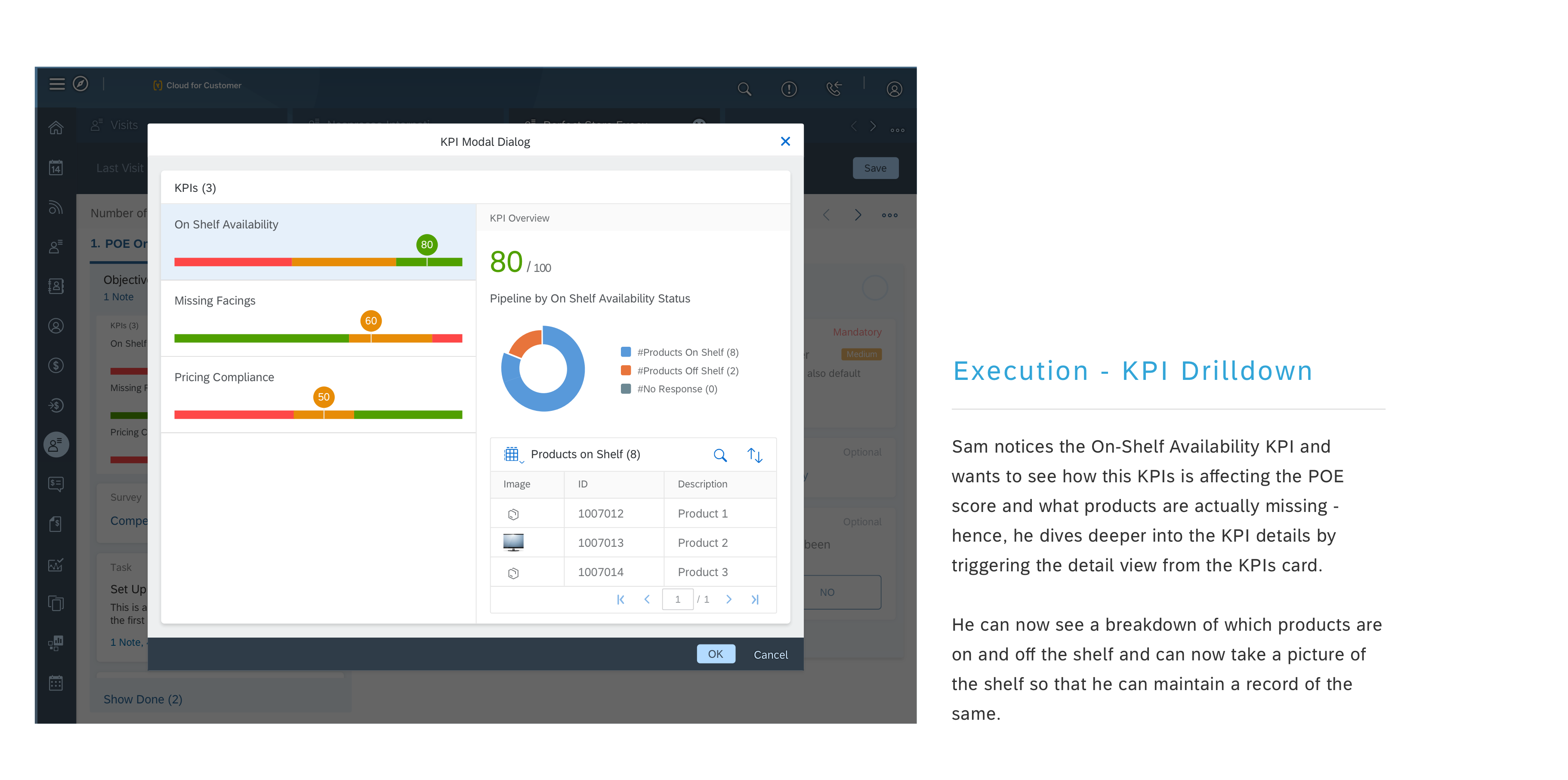
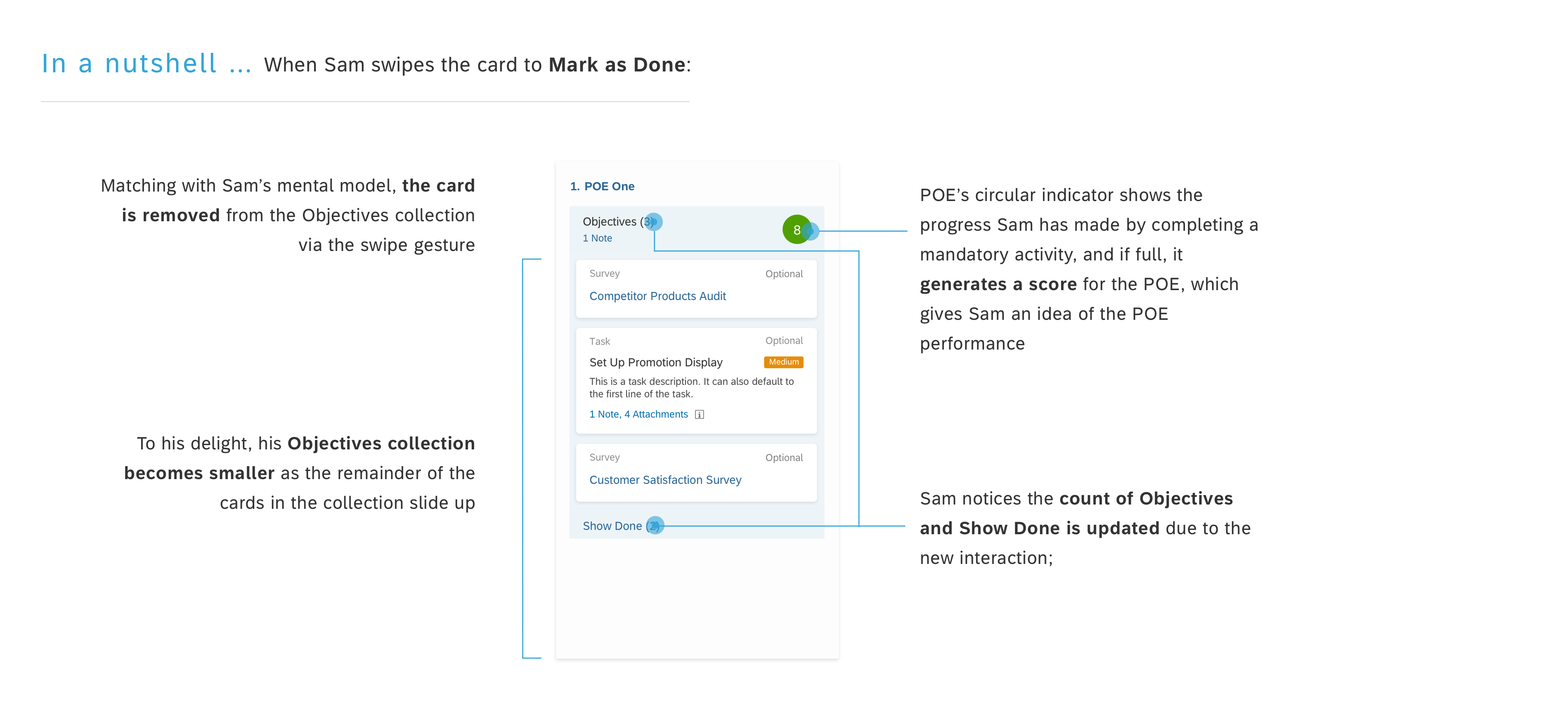
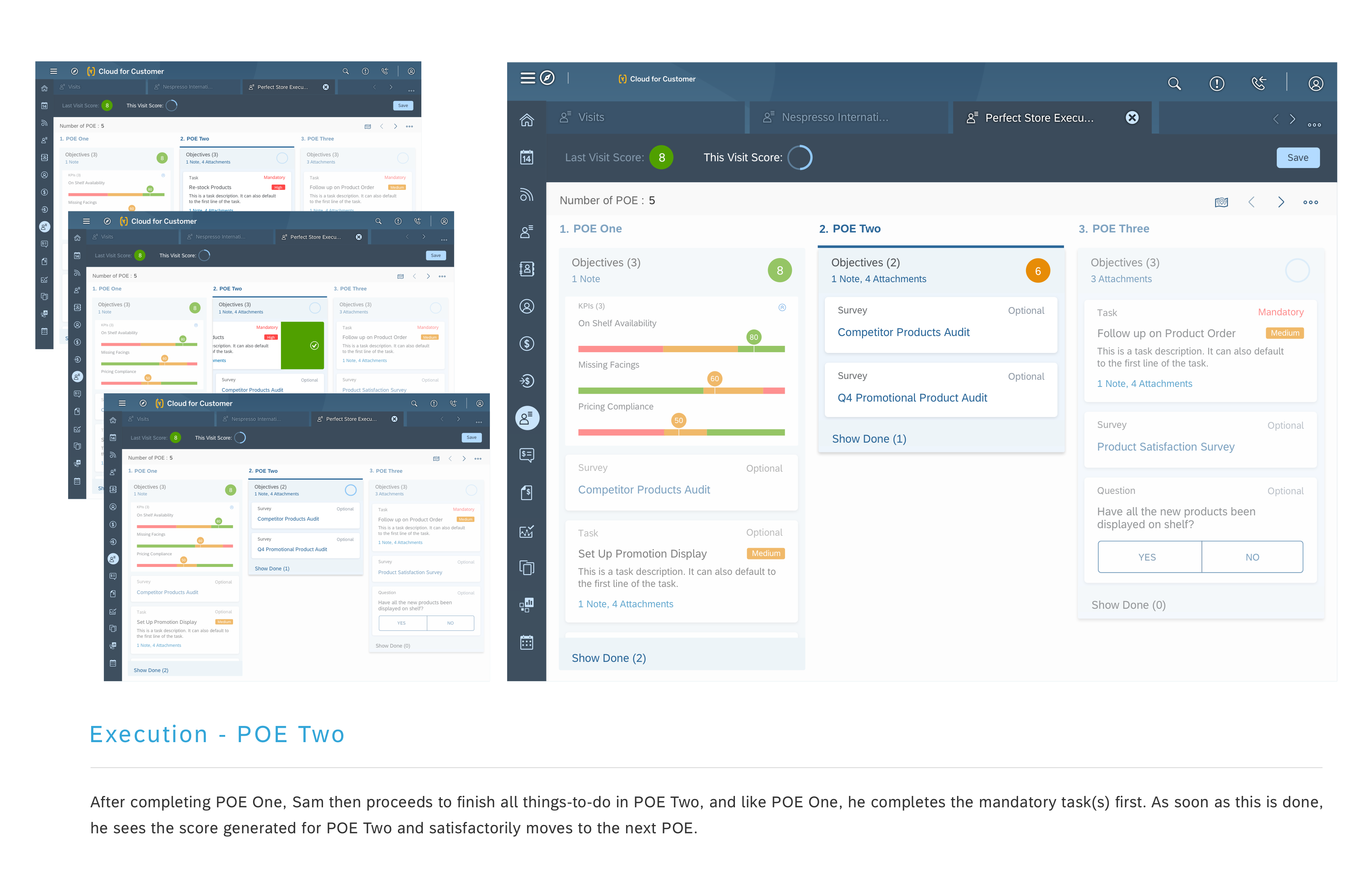

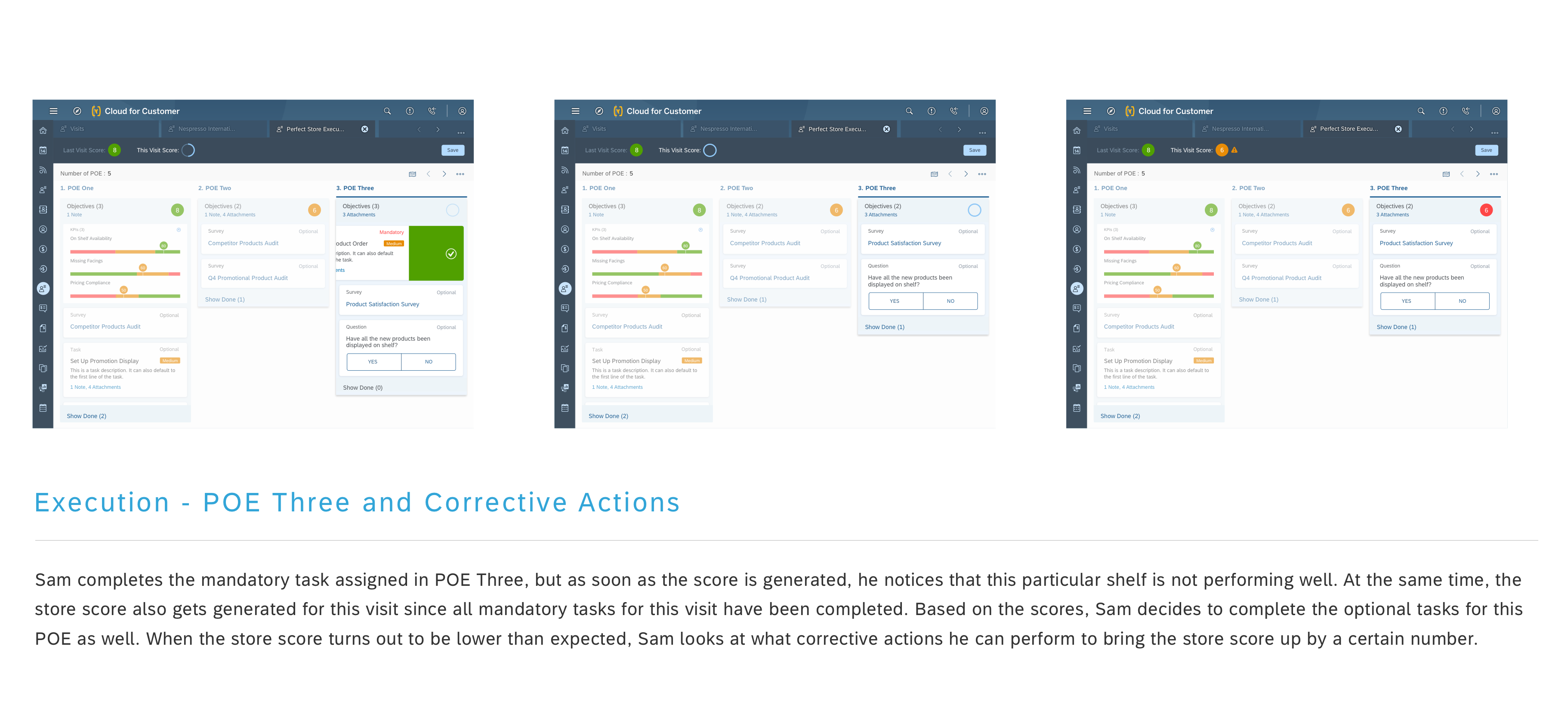
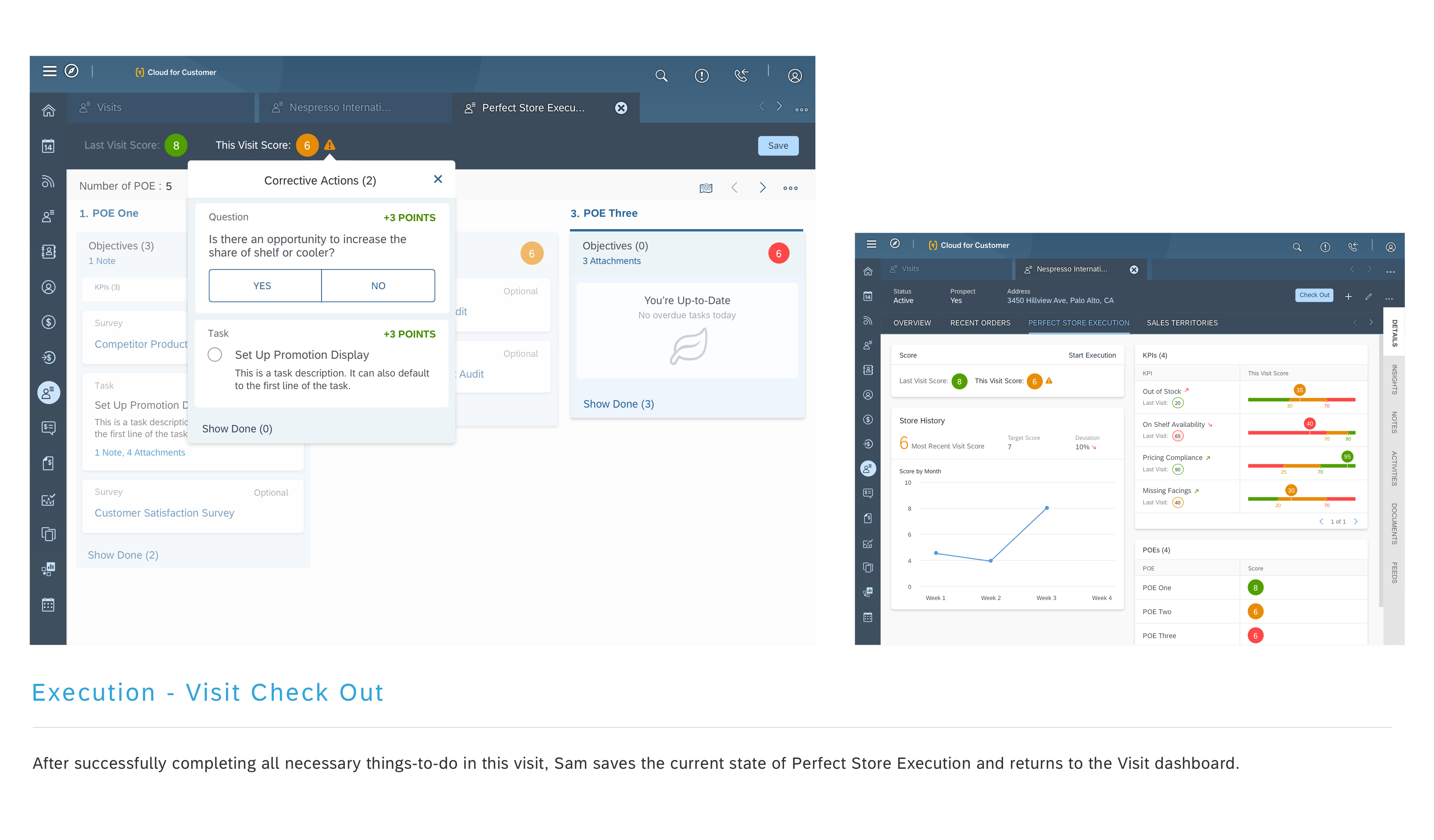
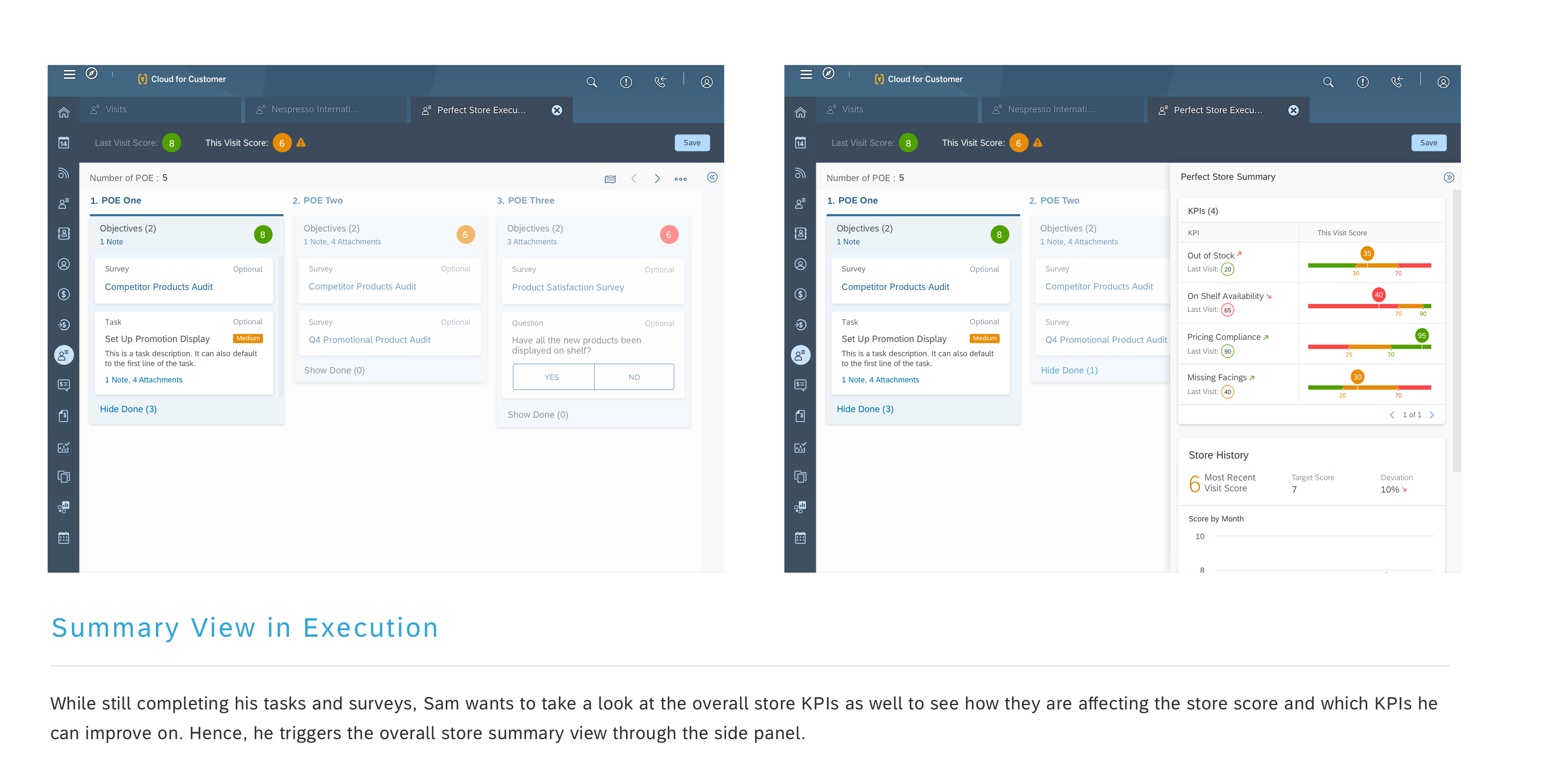
I chose to use Invision to demo the high-fidelity prototype and Principle to detail out interactions. The high-fidelity prototype had both benefits and drawbacks. While the prototype was powerful in creating transparency as well as gaining feedback from customers and development, on the flipside, since that was our final deliverable to development, any design change needed to be reflected in that prototype itself. What worked for us at that point in time was the Craft Plugin for Sketch that helped us make quick updates to the Invision prototype. Feature design and development were broken into parallel streams, which means once a feature was designed and approved, the engineering team began implementation. For custom controls, I followed by working with the framework designers to translate product features for framework context. I also concurrently worked with the engineering team to execute the current feature through completion while designing for the next in the pipeline. All these combinations in this engineering-driven process created an intense environment of coordination and time challenges.
Once the team had a prototype ready for use, we knew we needed to put it in the hands of our customers. We worked closely with UX Researcher to help define tasks, establish objectives and evaluate the overall flow of the app.
To ensure the test was realistic, we opted to use a real build of the application. However, this revealed how functionally unstable the app was. Between the times spent recovering from bugs and app crashes we were able to find usability issues related to perceived affordances, flow and layout.
Out of the several initial ideas being tested out, one of our prime design decision was to opt for a gesture to “Mark as Done” cards that have been completed, rather than providing a visual indicator for the action.

"45% reduction in number of clicks to perform tasks"
In the real world, to validate whether a concept meets user needs and creates business value, it takes time and resources for testing and data collection. In our case, we shared early concepts with several end users for feedback. Before the launch, we had figured out what constituted success for us, so that we could go into the launch with that understanding and as results would come in, we would be able to map them to our criteria.
We defined our metrics of what success of this design looks like:
If we fast forward a couple months and then look back, these Reps should still be using Perfect Store Execution and this is when the solution would be meaningful to them since they would be spending time on it.
It wouldn’t have been good enough if only those Sales Reps previously performing tasks and surveys converted to using Perfect Store Execution, as this would have just been a 1 for 1 trade. Since we expected Perfect Store Execution to be more light weight, we should be able to see more Reps use the solution than the previous set of people who used the alternative ways of doing their tasks.
The biggest challenge we faced throughout this project was balancing moving forward with designs, whilst collaborating with the wider team. Since this project touched the primary parts of our business, we needed to coordinate and get buy‐in from many roles and teams that were both co‐located and distributed. This was hard. The score generation algorithm is evolving over constraints and meant to further learn from usage.
The Perfect Store Execution design had a positive impact on the visit experience, however the design was new and needed onboarding capability to increase familiarity. I belive this to be a learning curve over a period of time.